
LAN Cable Lock 2
Keep a LAN cable from being unplugged without the key. Check your cable first, then scroll down for each step.
User Guides / LAN Cable Lock 2
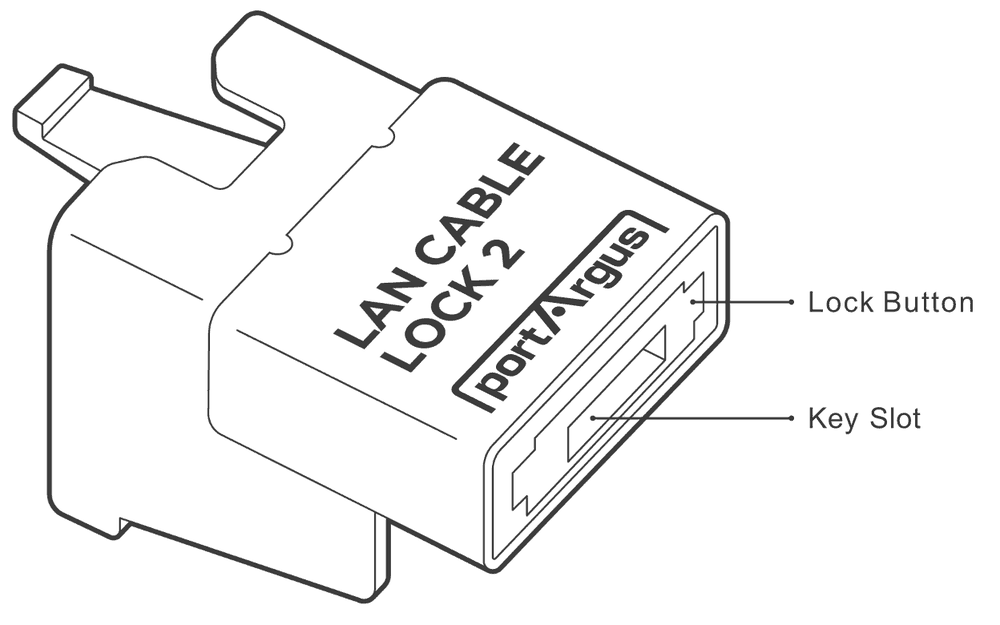
LAN Cable Lock 2
Tethers a LAN cable to the Ethernet port to prevent unauthorized removal. It can be installed without unplugging a cable in use.
Environment & Specification
| Environment |  LAN Cable (Ethernet RJ-45 connector) |
|---|---|
| Product | LAN Cable Lock 2 |
| Dimensions | W × H × L (Depth): 13.8 × 13.9 × 27.0 mm (0.54 × 0.55 × 1.06 in) |
| Weight | 4.9 g (0.17 oz) |
Preparation — Cable Boot Removal
• Due to space restrictions, it may be necessary to remove the strain relief boot.
• As illustrated below, some LAN cables are not compatible with LAN Cable Lock 2.
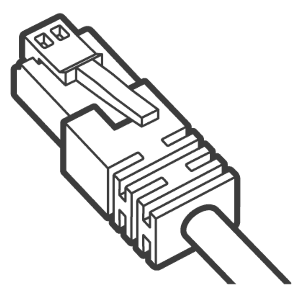
Not compatible: cables with a boot cover that is not removable and larger than the RJ45 connector.
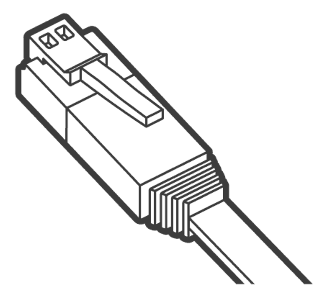
Not compatible: flat LAN cables.
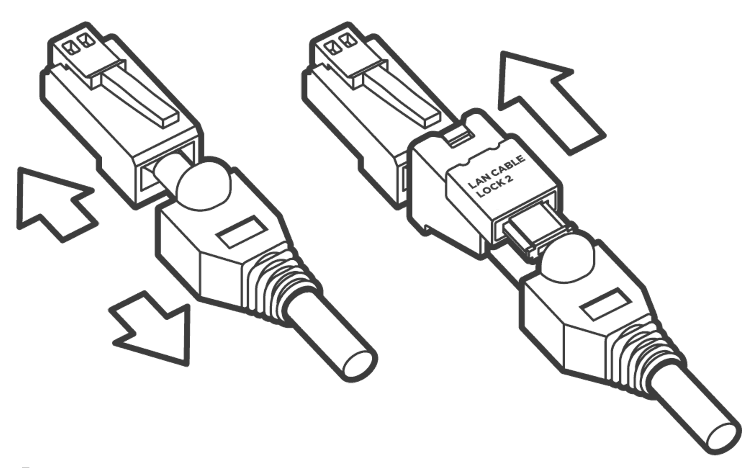
Cable with a boot cover
To install LAN Cable Lock 2 on a cable with a removable boot cover, pull back the boot cover to install LAN Cable Lock 2.
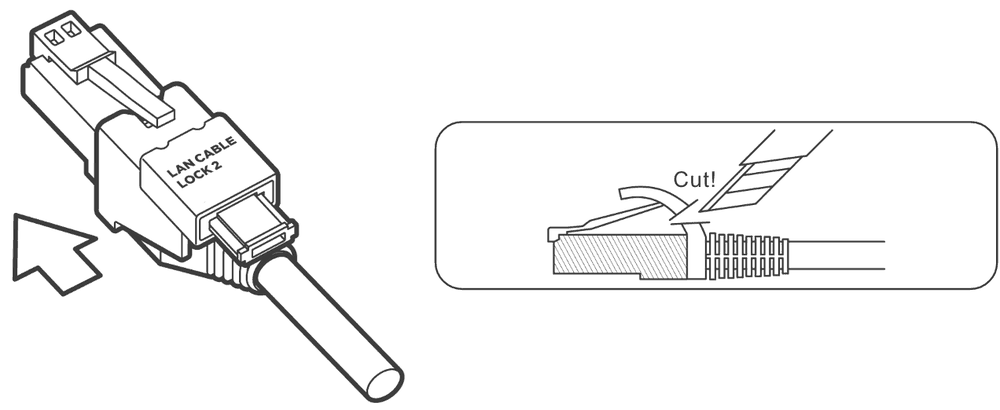
Cable with a snagless boot cover
To install LAN Cable Lock 2 on a cable with a snagless boot cover, the cable tab protector needs to be removed before installing LAN Cable Lock 2.
Installation
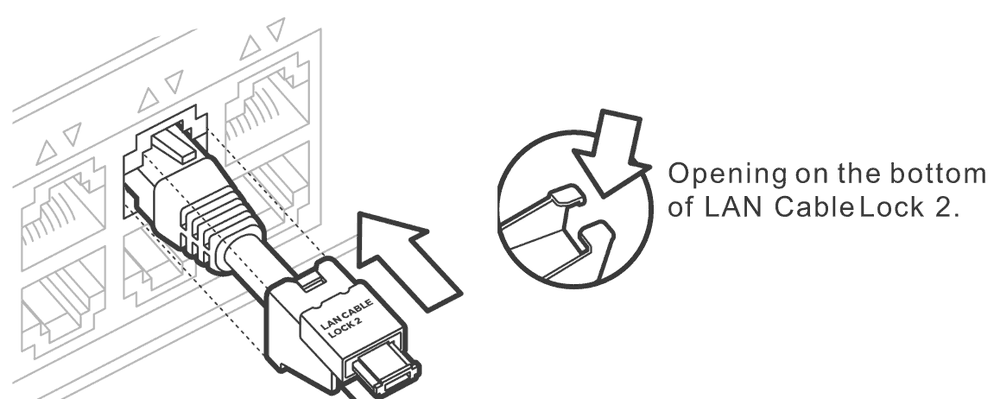
Attach the lock
Press the LAN cable through the opening on the bottom of LAN Cable Lock 2 and attach the lock to the RJ45 connector.
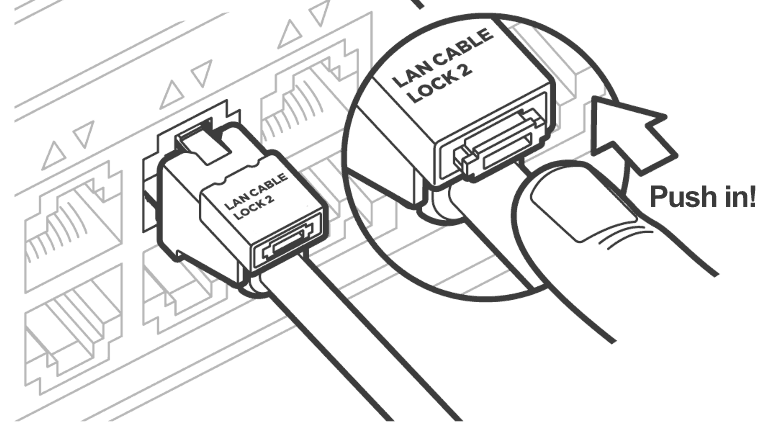
Press the lock button
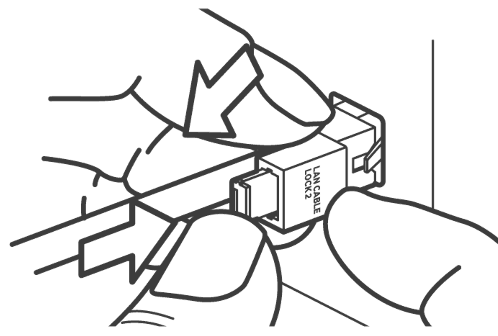
Press the Lock Button to securely attach LAN Cable Lock 2 to the RJ45 connector.
• Press the lock button as LAN Cable Lock 2 is pulled out (see diagram below).
• If the lock button is not completely pressed in, LAN Cable Lock 2 is not installed properly.
Removal
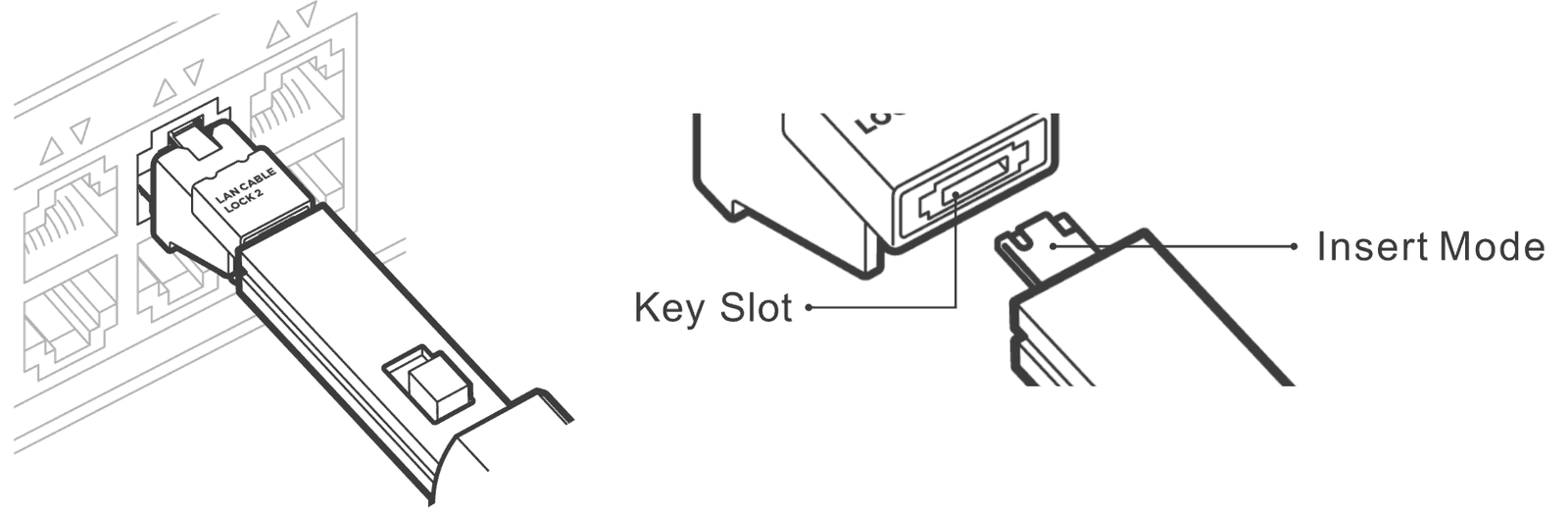
Insert the key
Insert the key completely into the key slot. When uninstalling, make sure to check and match the direction of the key slot and key as shown.
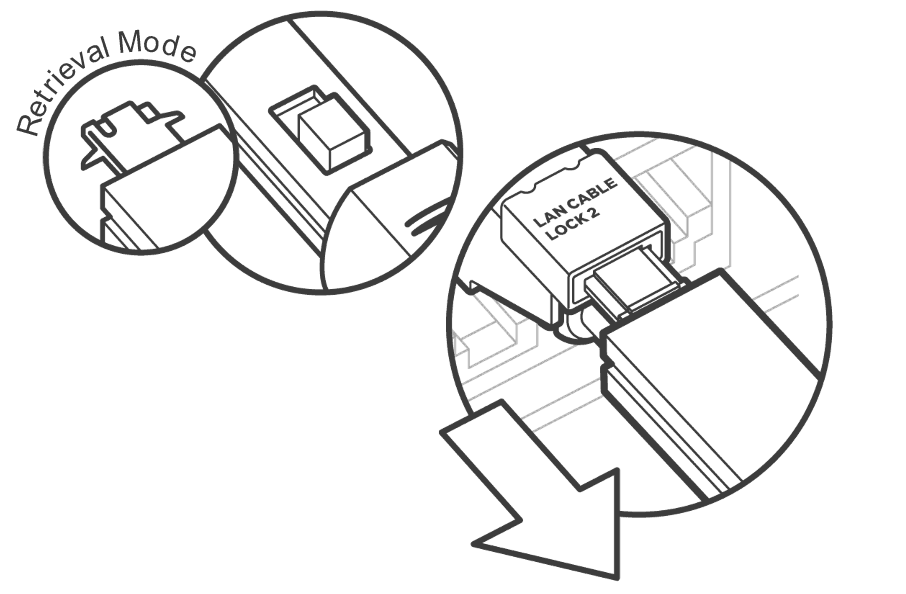
Engage & pull out
Slide the button backward (Retrieval mode) to engage the lock for removal and pull out the key.
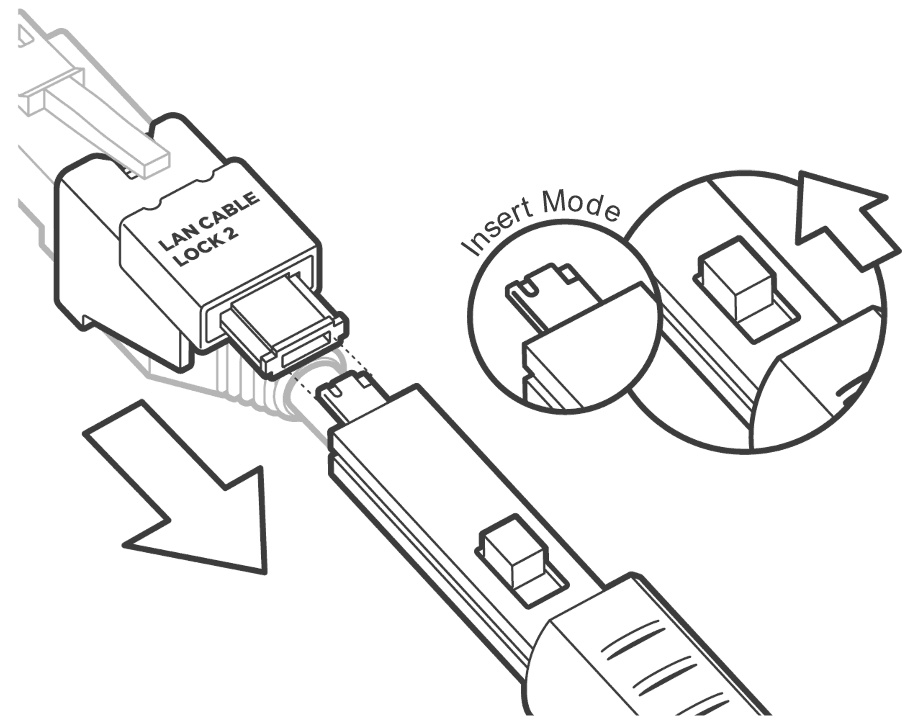
Release the lock
Slide the button forward (Insert mode) to release LAN Cable Lock 2 from the key.
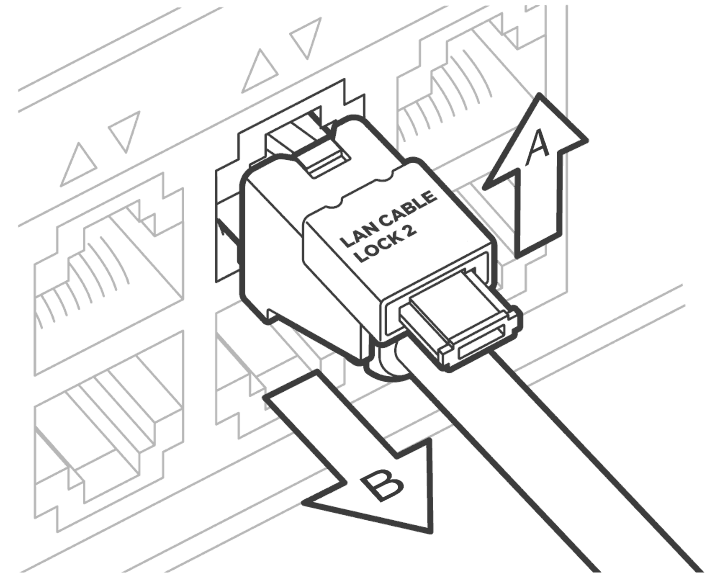
Remove the lock
Remove LAN Cable Lock 2 by pushing it upward (A) as you pull the lock out (B).
• The lock button on LAN Cable Lock 2 does not fully pull out like the USB Port Lock.
• Putting too much force when pulling the lock button will cause damage.